$5 STARTER eSIMs · NO APP · NO SUBSCRIPTION · PLAN DETAILS UP FRONT✦LIVE PLAN CATALOG✦FIXED + UNLIMITED DAILY + REGIONAL OPTIONS✦$5 STARTER eSIMs · NO APP · NO SUBSCRIPTION · PLAN DETAILS UP FRONT
Philippines eSIM guide: Manila, Cebu, islands, Grab and mobile data.
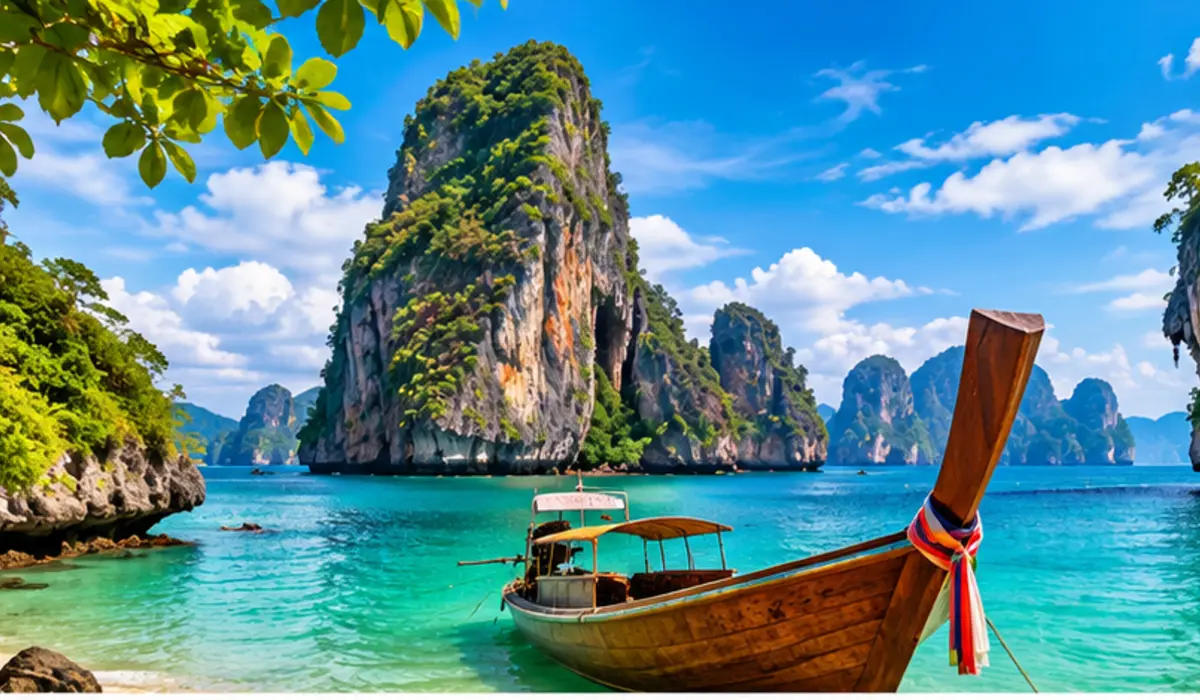
The Philippines is an island-hopping trip, not one continuous coverage zone. Manila and Cebu are strong app-heavy city days; ferries, lagoons, mountain roads and smaller islands can be much less predictable. A travel eSIM works best when you arrive prepared and keep offline backups for the gaps.
The Philippines is connected where travelers gather — but island days still reward offline maps, saved bookings and a little planning.
TRIP SHAPE
Choose around how you actually travel.
MANILA + CEBUGrab and maps are everyday tools
Airport transfers, ride-hailing, directions, hotel messages and bookings keep the phone active.
ISLAND HOPPINGExpect patchier moments
Boat routes, lagoons and remote beaches can be offline on any network, so save key details before departure.
LOCAL SIM RULESTravel eSIM and local tourist SIM are different products
Local SIM registration requirements do not mean every travel eSIM has the same purchase flow or local-number features.
CURRENT FIXED-DATA OPTIONS
What Philippines plans are available right now?
These cards read from the same current catalog used by the Philippines product page. Inventory can change, so use the product page for final checkout details.
Install before departure so Manila or Cebu arrival starts connected.
Download the eSIM on reliable Wi-Fi before you fly, save the order email and activation details offline, and read the activation rule for the exact plan. That makes it easier to open maps or arrange transport as soon as you land.
Manila is where Grab, maps and airport logistics matter most.
NAIA arrival, terminal changes, city traffic and hotel transfers make mobile data immediately useful. A working data connection can reduce the friction of navigating the first hours of the trip.
Cebu, Palawan, Siargao and island days need offline preparation.
Coverage can be strong in cities and tourist towns yet weaker on boats, remote roads, lagoons or smaller islands. Save ferry tickets, accommodation contacts, island maps and key addresses before you leave a connected area.
Practical tipBefore a boat or remote day trip, screenshot the booking details and save the return pickup point offline.
04
Choose the allowance around city app use and media habits.
Grab, maps and messaging are usually much lighter than streaming, video-heavy social feeds, cloud backup and hotspot use. A city-heavy itinerary can use more than a beach day where the phone spends hours offline.
Keep your home SIM from becoming the expensive data line.
Set the travel eSIM as the mobile-data line and keep data roaming off on your primary SIM unless you intentionally want home-carrier roaming. Your normal number may remain available for calls or verification texts on compatible dual-SIM phones, subject to your carrier settings and fees.
The exact live product details stay on the destination page; these answers help with the planning decisions around them.
Is a travel eSIM useful for island hopping in the Philippines?+
Yes, but no eSIM can create coverage where the local network is absent. Save offline maps, ferry details and accommodation information before remote or boat days.
Is 5GB enough for one week in the Philippines?+
It can be for maps, Grab, messaging and normal browsing when video, cloud backup and hotspot use are limited. Heavy social video or remote work may justify more.
Can I use Grab with a Philippines travel eSIM?+
A working data eSIM can provide the internet connection Grab needs. Account verification, payment methods and local service availability are separate from the eSIM.
Does a Philippines travel eSIM include a local phone number?+
Do not assume so. Treat the plan as data-only unless the exact product explicitly states that calls, SMS or a phone number are included.
Will the same Philippines eSIM work in Manila, Cebu and Palawan?+
A Philippines plan is intended for the country, but actual coverage depends on the exact network, device and location. Cities and tourist towns can be much stronger than remote island routes.